
Performance Tips for Your Synaptik CMS Site
Make Your Site Lightning Fast
A fast website improves user experience, search rankings, and conversion rates.
By default, Synaptik CMS will give you an excellent performance score without any extra work!
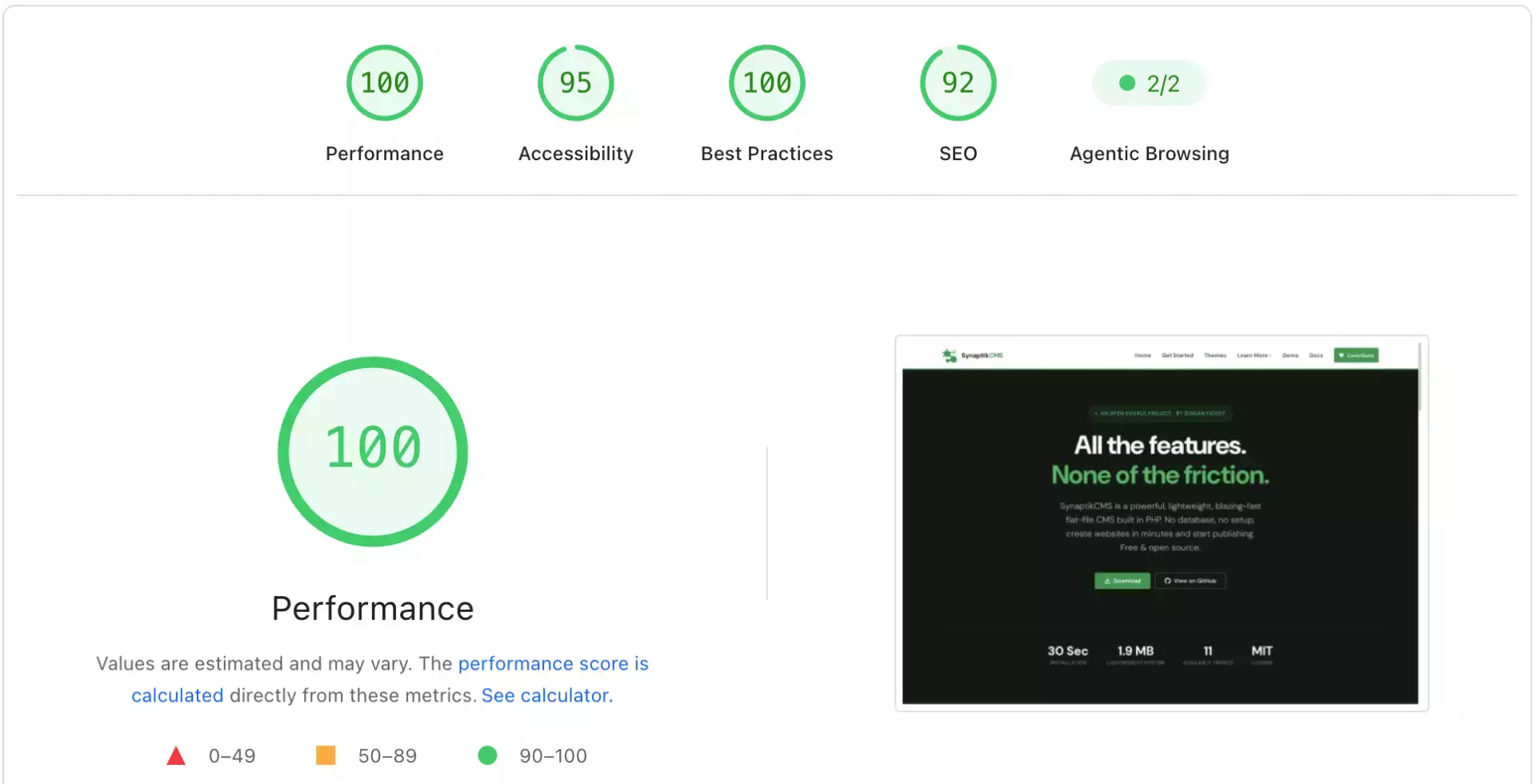
Find out more about how Synaptik CMS is optimized for performance.
However, there are a few things to keep in mind to keep your website fast. Below are recommendations on how to improve your Synaptik CMS website's performance and speed.
Enable Image Optimization
In Settings, enable automatic image optimization with the recommended settings:
- Maximum width 1920px
- Quality 80
- WebP conversion enabled
Images are consistently the single largest contributor to page weight on most websites — often more than every other asset combined. Unlike most platforms, you don't need to manually resize or compress anything yourself: once this is enabled, every image you upload is automatically resized, compressed, and converted to WebP on the fly. This single setting solves the majority of performance problems before you even start writing content.
Batch Optimize Existing Images
You may have uploaded images without enabling automatic optimization, so you are serving heavy images on your pages. Fortunately, it's not too late: you can use the Batch Optimizer tool to process your entire media library in one pass — no need to re-upload anything one by one.
Leverage Browser Caching
Configure your web server to set appropriate cache headers for static files. By default, the .htaccess in Synaptik CMS is fairly well optimized for caching and gzip compression: CSS and JavaScript are served with a one-year Cache-Control: public, immutable header, with cache-busting handled automatically through a version string tied to each file's last-modified time. In practice, returning visitors load your CSS and JS instantly from their browser cache, and you never have to worry about a visitor getting stuck with an outdated file after a theme update — the moment you save a change, the version string changes and the new file is fetched.
If you're on shared hosting and unsure whether mod_expires and mod_deflate are enabled on your server, ask your host or check your phpinfo() output. Without these Apache modules active, the caching and compression rules in .htaccess are silently ignored.
Choose Hosting That Doesn't Hold You Back
No amount of front-end optimization compensates for slow server response times. What matters most on a flat-file CMS is disk I/O and PHP execution time, both of which are almost entirely dictated by your hosting plan. On cheap shared hosting with oversold resources, even a perfectly optimized site can feel sluggish under load. If your Time to First Byte (TTFB) consistently sits above 500-600ms regardless of what you optimize on the page itself, the hosting plan — not your configuration — is usually the limiting factor.
Make the Most of PHP OPcache
PHP OPcache stores precompiled script bytecode in memory, skipping the parse-and-compile step on every request. Most modern hosting providers enable it by default, but it's worth confirming via phpinfo(). It's one of the more noticeable differences in raw response time across hosting environments — particularly on the admin panel, which loads more PHP per request than the front end.
Minimize What Loads on Every Page
Every theme asset, hook, and third-party script adds to total page weight, even small ones. A few habits that keep pages lean over time:
- Only enqueue theme stylesheets and scripts on the pages that actually need them, rather than loading everything sitewide unconditionally.
- Periodically audit any tracking snippets or widgets you've added — it's easy to accumulate a script that's no longer actually needed.
- Avoid pulling in external fonts, icon libraries, or CDN scripts you don't actively use. Each additional external domain is a DNS lookup and a new connection your visitor's browser has to establish before that resource can even start downloading.
Be Deliberate With Galleries
Large galleries are one of the easiest ways to accidentally ship a heavy page, even with automatic optimization in place — thirty images at full quality settings will still outweigh almost everything else on that page combined. Keep galleries reasonably sized, and lean on the carousel layout for large sets instead of rendering everything at once.
Watch Your Content, Not Just Your Assets
Extremely long single-page articles with dozens of embedded shortcodes (galleries, recent posts grids, contact forms) all stacked on one page add up in rendering time, even with no images involved. If a specific page consistently scores worse than the rest of your site, check what's actually on it before assuming it's a server or caching issue — sometimes the content itself is the bottleneck.
Don't Skip Alt Text — It Helps More Than Accessibility
This has no direct effect on load speed, but it's worth a mention here: every image should have alt text, both for accessibility and because Google Images is a real traffic source. Use the Alt-Text Assistant to find and fix every gallery image missing one in a single pass instead of opening each post individually.
Organize Your Files
Keep your /files/ folder organized. Delete unused images and consolidate duplicates. A bloated media library doesn't slow down page loads directly, but it makes backups larger and slower, and makes it harder to spot any file that's still serving in an unoptimized format.
Monitor Performance Correctly
Use tools like Google PageSpeed Insights or Pingdom Tools to measure and improve your site's performance. A few notes on reading these reports correctly:
- Test more than once. Real-world network conditions vary between runs; a single score isn't a reliable baseline. Run a test three or four times and look at the trend, not one number.
- Test your actual content pages, not just the homepage. A homepage with few images can score very differently from a gallery-heavy article.
- Prioritize Core Web Vitals (LCP, CLS, INP) over the single overall score — they're the metrics that affect search ranking directly, and they point you to a specific, fixable problem rather than a vague number.
- Re-test after every change. It's the only reliable way to confirm a setting actually helped rather than assuming it did.